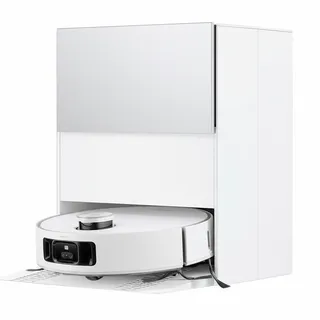
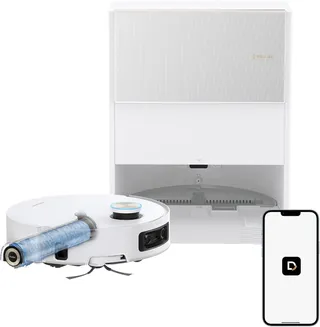
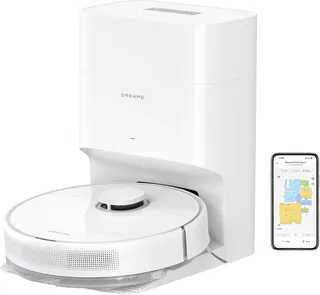
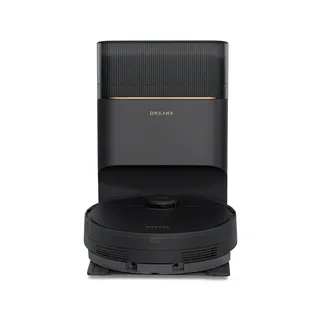
Dreame L40
Suction
11,000 Pa
Battery
194 min
Navigation
Spinning Lidar
Mopping
2 Spinning Pads
Full Specifications
| Suction Power | 11,000 Pa |
| Battery Life | 194 min |
| Dustbin Capacity | 300 ml |
| Navigation | Spinning Lidar |
| Robot Height | 4.1" |
| Threshold Climbing | 22 mm |
| Brush Roll | Single |
| Mopping | 2 Spinning Pads |
| Mop Raising Height | 10.5 mm |
| Self-Empty Dock | Bagged |
| Dock Bag Capacity | 3.2 L |
| Mop Washing | Hot Water |
| Mop Drying | Yes |
| Obstacle Avoidance | Yes |
| Objects Recognized | 100 |
| Multi-Floor Maps | Yes |
| No-Go Zones | Yes |
| Carpet Boost | Yes |
| HEPA Filter | Yes |
| WiFi | 2.4 GHz |
| Voice Assistants | Alexa |
| Warranty | 1 year |
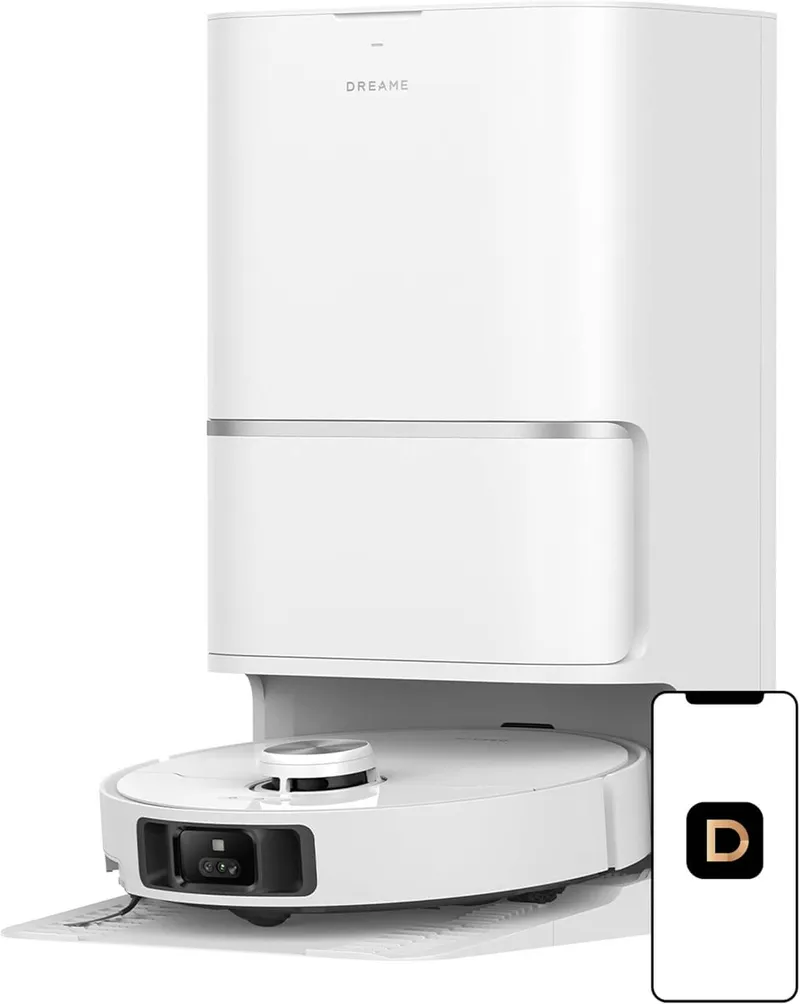
Compare with similar models:
The Bottom Line
The Dreame L40 Ultra launched in October 2024 at around $1,249 (promotional) to $1,499 (list price) in the US and £999 in the UK. By late 2025, steep holiday discounts have dropped the price to around $399, making this end-of-cycle robot a compelling value proposition.
What sets it apart? This is a vacuum-mop hybrid that genuinely handles both jobs well. The base station automates almost everything—emptying dust, washing mops with hot water, drying them, even dispensing cleaning solution. For people tired of babysitting their robot vacuum, the L40 Ultra offers something close to true hands-free cleaning.
Product Variants and Availability
The L40 Ultra comes in white only and is widely available through Dreame’s official store and Amazon in North America and Europe. Dreame uses Transparency codes on Amazon to verify authenticity—worth checking if you’re buying from third-party sellers.
Several variants exist:
- L40 Ultra (standard): Full feature set with 11kPa suction and extendable side brush
- L40 Ultra AE (“Auto-Empty”): Released in Europe in spring 2025 with 19kPa suction but no extendable side brush
- L40s Ultra CE (“Core/Cost-Effective”): 13kPa suction, no hot-water mop washing or solution dispenser
All share the same core robot design and battery. The differences mostly come down to suction claims and feature omissions to hit lower price points.
A word of caution on gray-market imports: Chinese-market models or unofficial sellers may lack warranty support and could use different apps or firmware. Stick with authorized channels for the standard 1-year warranty and correct regional firmware.
Size and Dimensions
The robot measures 350mm in diameter by 103.8mm tall (about 13.8” x 4.1”) and weighs roughly 8.6 lbs. The base station is substantial: approximately 13.4” x 18” x 23.3” and 8.3 kg. Users frequently describe it as “bulky” and compare it to a small washing machine. Plan your placement accordingly.
Hardware Specs
Suction and Airflow
Dreame advertises 11,000 Pa maximum suction for the standard L40 Ultra, with some variants claiming up to 19,000 Pa “Vormax” suction. Here’s the reality check: independent tests measured about 0.86 kPa vacuum pressure and 21 CFM airflow at the brush—above average, but nowhere near those headline Pa numbers. The dramatic figures are manufacturer lab stats that don’t translate directly to real-world performance.
What matters more: the L40 Ultra’s effective suction handles debris pickup well on hard floors and medium carpets. The 21 CFM airflow exceeds the typical 16 CFM average for robot vacuums.
Dustbin and Auto-Empty
The onboard dustbin holds 300-350 mL—relatively small, but the robot empties automatically into the base station’s 3.2L disposable bag after each run. Depending on your home and shedding pets, expect 75-100 days between bag changes. Most users report 1-3 months in normal conditions.
Brush System
The TriCut main brush uses a rubberized, anti-tangle design with three rows of fins instead of bristles. Hair tends to channel into the dustbin rather than wrapping around the brush. One long-term user reported zero tangles after 100 hours of use, though extreme scenarios (7-inch strands) can still cause some wrapping.
The brush removes easily for cleaning, and spare TriCut and pet-specific versions are available.
Extendable Side Brush
This feature genuinely sets the L40 Ultra apart. The single side brush extends outward and lifts up/down to reach debris in corners and along edges. It retracts to avoid tangling on obstacles. This “SideReach” technology helps sweep dirt from places round robots typically miss. Note: the L40 Ultra AE and CE variants have a fixed standard side brush instead.
Navigation and Sensors
The robot uses a dToF (direct Time-of-Flight) LiDAR sensor for precise mapping—a spinning turret that creates detailed multi-room maps on the first run. For obstacle avoidance, it combines a structured light 3D sensor with an RGB camera that can recognize up to 100 object types.
Additional sensors include infrared cliff sensors to detect stairs, wheel odometry, gyroscope/accelerometers, and a front LED light for low-light obstacle detection.
Obstacle Avoidance
The L40 Ultra ranked second overall in Vacuum Wars’ obstacle tests, just one point behind the Dreame X40. It gets very close to objects without touching them and rarely pushes or tangles hazards. Power cords, shoes, socks, pet waste, toys—it skillfully dodges most of them.
The occasional false positive happens. Certain floor patterns or mirror reflections can confuse it, and like most LiDAR-based robots, it may not reliably detect very thin or transparent obstacles. But overall, this is state-of-the-art obstacle avoidance for 2024/2025.
Battery
A 5,200 mAh lithium-ion battery (14.4V) enables long runtimes. Dreame advertises up to 194 minutes on quiet mode with hard floors, or roughly 260 minutes under lab conditions at lowest power. Independent testing found about 2.2 minutes per 1% battery—approximately 220 minutes total on mixed settings.
Large homes (150-180 m²) clean easily on one charge. The robot auto-recharges and resumes if needed. Charging takes 3.5-4 hours from empty to full, and an Off-Peak Charging feature lets you schedule charging for lower-rate hours.
Clearance and Thresholds
At 4.1 inches tall, the L40 Ultra fits under most sofas and beds with 4.5” clearance. It climbs thresholds up to 22mm (about 0.87”)—standard door sills and carpet transitions. Homes with higher thresholds (older construction, sliding door tracks) may find the robot can’t surmount those.
Filter
The L40 Ultra uses an E11-class high-efficiency filter in its dustbin. While not officially HEPA-rated, it captures fine dust effectively. Replacement every 6-12 months (or ~150 hours) is recommended at roughly $10 per filter.
Noise
In Standard mode, expect around 55 dBA on hard floors and 60 dBA on carpet—quite tolerable. Quiet mode is virtually unnoticeable in the next room. Max+ mode peaks at 67-69 dBA, akin to a loud conversation. The base station’s self-emptying is briefly loud (~75+ dBA for about 10 seconds), while mop washing and drying produce only soft pump and fan sounds.
Mopping Performance
Mop Design
Two round pads at the rear spin at high speed to scrub floors—active scrubbing that beats simple drag-mops. The pads lift 10.5mm when carpets are detected, enough for low-pile rugs but not thick carpets. For higher-pile carpets, either set no-mop zones or remove the pads entirely (they attach magnetically).
Water System
The base station handles water supply: a 4.5L clean water tank and 4.0L dirty water tank support roughly 30 days of mopping before needing attention. These large reservoirs reduce how often you’re dealing with water management.
Real-World Mopping Results
The L40 Ultra mops exceptionally well for a robot on light grime and daily maintenance. In standardized dried-on stain tests, it scored 119 points—far above the 103-point average and outperforming some dedicated floor mops like the Bissell CrossWave. Footprints, spilled drinks, pet paw prints—all handled well.
Tough, caked-on messes (dried sauce, mud) still need manual scrubbing. One user put it well: “It won’t fully replace a proper mop” for sticky or thick residue. But for daily maintenance, it’s excellent.
Smart Dirt Detection
An RGB camera and 5-channel color sensor can recognize spills like coffee or oil and trigger focused cleaning—the robot slows to 0.1 m/s and does a detailed scrub on dirty spots. This “OmniDirt Detection” (off by default, enabled in CleanGenius mode) works on obvious spots, though it may miss subtle dirt or be over-cautious on dark floor patterns.
Edge and Corner Mopping
The MopExtend feature pushes mop pads slightly beyond the robot’s normal footprint, allowing them to reach edges and corners that round robots typically leave dirty. Combined with the extending side brush, edge cleaning is significantly improved over older models.
Mop Maintenance
Microfiber pads attach with Velcro and should be replaced every 1-3 months (~$20 for a 6-pack). The base’s auto-washing means you rarely need to launder them separately.
Mop Washing and Drying
After cleaning, the base scrubs the pads against a grooved washboard with jets of water heated to 65°C (149°F). Dirty water goes into the waste tank. Then warm air drying (around 45-55°C for up to 2 hours) prevents mildew and odor. Users report pads come out dry with minimal smell. The hot water washing is a standout feature—most competitors use only cold water.
Water Flow Control
The app offers 32 moisture levels for fine-tuning wetness. Most users stick to a few presets (low, medium, high), but the granular control exists for those who want it.
Cleaning Solution
The base automatically mixes cleaning solution into the water when refilling the robot. A 250mL bottle comes in the box; refills run about $15 per liter. You can also use any mild floor cleaner. The CE variant lacks this dispenser and mops with plain water only—which some users report leaves sticky dirt behind.
Software and App
Dreamehome App
All controls run through the Dreamehome app (iOS and Android). It’s required for initial setup and unlocking full functionality. Voice assistant integration works with Amazon Alexa, Google Assistant, and Siri Shortcuts for basic start/stop commands. No native Apple HomeKit or Matter support exists as of late 2025.
Mapping
The L40 Ultra stores up to 4 separate maps for multi-level homes. Initial mapping takes minutes, and the app provides advanced editing: merge/split rooms, label them, set cleaning sequences. Mapping is accurate, and navigation follows methodical row-by-row patterns.
Zones and Virtual Barriers
Draw unlimited no-go zones, no-mop zones, and virtual walls on the map. A unique Dreame feature: “Curtain Zone Cleaning” lets you mark floor-to-ceiling curtains so the robot knows it can gently push under them without treating them as walls.
Cleaning Customization
Choose vacuum-only, mop-only, or combo cleaning. Five suction levels (Quiet, Standard, Strong, Max, Max+) and granular water flow settings can be configured per room. Carpet Boost automatically ramps suction on carpet. A recent firmware update added a “Zigzag+Y Pattern” option for crosshatch mopping.
Pet Features
The app lets you set Pet No-Go Zones and use high suction for pet hair. “Do Not Disturb” mode keeps the robot from running at night. Video Patrol lets you drive the robot manually and see through its front camera to check on pets—video quality is basic with slight control lag, but owners find it fun for checking if the dog is on the couch.
Firmware Updates
Updates arrive via the app and have improved the L40’s performance throughout 2024-2025. One mid-2025 update improved cleaning path efficiency with horizontal and vertical passes in small rooms. Some regional variants (AE model) have reported delayed or stuck firmware—Dreame support can assist.
App Quality
The Dreamehome app is feature-rich but complex. Google Play shows around 3.0 stars with ~6k reviews (earlier versions had bugs), while iOS shows ~4.2 stars with fewer reviews. Reddit users generally say the app is “good or at least decent” despite store ratings. Mapping and scheduling work reliably, with occasional quirks (rare map deletions or scheduled cleaning not running until app re-login).
Base Station Features
What It Does
The L40 Ultra’s base station performs dust emptying, mop washing, water refill, and hot-air drying automatically. Two removable water canisters and a dust bag compartment live inside the white plastic housing. Users describe it as “bulky and not the prettiest” but acknowledge it drastically reduces manual work.
Auto-Empty
After vacuuming, the base sucks debris from the robot’s 300mL bin into a disposable 3.2L dust bag. Dreame claims 75-100 days of hands-free storage; pet owners might fill a bag in 1-2 months, while light-use apartments can go 3+ months. Replacement bags cost about $18 for a 3-pack (official) or cheaper for third-party options (~$20 for a 9-pack).
The base has a self-cleaning mechanism—a mechanical squeegee tray that periodically clears hair or debris from the internal funnel, reducing clogs. This is relatively unique to Dreame’s design.
Water Tanks
The 4.5L clean water and 4.0L dirty water tanks remove easily for filling and emptying. The app alerts when water is low or the dirty tank is full. High-frequency moppers in large homes might refill every 1-2 weeks; moderate use stretches to many weeks.
Recurring Costs
The bagged system means ongoing bag purchases. At roughly $6-7 per bag lasting 2-3 months, you’re looking at maybe $30/year—a trade-off for convenience that most users accept.
Maintenance
The base prompts periodic maintenance: empty the dirty tank, add water, occasionally clean the washboard and internals. A small cleaning brush comes in the box. Every week or two, rinse out the dirty water tank to prevent odors. The removable bottom tray catches drips and can be rinsed. A filter in the dirty tank compartment catches debris from mop wastewater.
Size and Placement
The base needs about 13.4” x 18” of floor space plus ~24” height. Leave about 1.5 feet clearance on each side and 5 feet in front for the robot to dock easily. Place it on a hard, level surface—some early units had docking issues on uneven floors or slick ramps. Dreame adjusted this in later batches; aftermarket grip pads exist if needed.
Accessories and Costs
What’s in the Box
The package includes: robot vacuum, self-cleaning base station, one pre-installed 3.2L dust bag, one pair of spinning mop pads, TriCut main brush, one side brush, power cord, cleaning brush/tool, and a 250mL sample bottle of cleaning solution. User manual and quick-start guide included.
Replacement Parts
Dreame recommends: main brush every 6-12 months (~300 hours), side brush every 3-6 months (~200 hours), mop pads every 1-3 months, filter every 6-12 months (~150 hours), dust bag every 2-3 months when full.
Typical prices: 3-pack dust bags ~$18, 2-pack filters ~$30 (third-party cheaper), main brush ~$25-30, side brushes ~$15 for 2, mop pads ~$20 for 6. Accessory kits bundling a year’s supply run about $50-60.
Third-party compatible parts from AliExpress or eBay cost less—generic dust bags can be under $2 each in bulk.
Annual Maintenance Estimate
Replacing filter and main brush yearly, side brush twice a year, using about 4 dust bags/year, and new mop pads every few months: expect $50-100 per year. Mixing in generic parts can halve that.
Battery Replacement
The internal 14.4V Li-ion battery isn’t designed for quick-swapping. After 2-3 years of degradation, replacement involves unscrewing the bottom cover and unplugging the battery connector—doable but not trivial. Third-party replacement batteries (even higher-capacity 6800mAh options) run $50-70. Expect roughly 500 charge cycles before noticeable degradation, so 3-5 years for most users.
Maintenance and Durability
Day-to-Day Maintenance
Most components needing cleaning or replacement are accessible without tools. The main brush pops out via an unlock mechanism; end-caps remove for hair clearing. The side brush uses one small screw (screwdriver provided). The dustbin lifts out from the top for rinsing. The filter slides out. Mop pads use Velcro for quick removal. Wheels can be pulled off for hair removal.
Rtings gave it an 8.0/10 for build quality, noting thoughtful design touches like the brushroll’s removable side pieces for hair clearing without scissors.
Build Quality
The exterior feels sturdy and premium—glossy white plastic with a matte metallic accent on the LiDAR turret. Good weight, no creaking, smooth button and flap operation. One noted weakness: the dustbin plastic is thinner and could crack if dropped. Handle with care.
Users with 6+ months of ownership report units that “still look and work like new” aside from normally dirty mop pads.
Known Issues
As of late 2025, no chronic hardware failures have emerged across many units. A few specific issues:
-
Docking ramp traction: Some units had difficulty climbing the base ramp reliably. Fixes included grip tape; Dreame improved the ramp in later production runs.
-
Isolated pump failures or leaks: A handful of users experienced water pumps not drawing or leaks around the mop cleaning tray. Dreame replaced these under warranty.
-
Rare sensor malfunctions: Very few cases of LiDAR or camera faults. Again, warranty replacements handled these.
No recall or prevalent defect has been reported. The electronics seem stable.
Expected Lifespan
Three to five years with proper maintenance is a reasonable expectation based on motor specs and battery cycle counts. The warranty covers 1 year standard; some regions offer extended warranty purchases.
Maintenance Tips
- Pop out and clean the front caster wheel monthly to prevent carpet streaks or navigation issues
- Wipe the drop sensors occasionally (dirty sensors might falsely detect drops on dark rugs)
- Keep the LiDAR laser window dust-free
- If suction drops, check for a clogged filter or debris in the brushroll cavity
- Empty the dirty water tank when prompted—overflow can cause backflow or odor
- Don’t let dirty water sit for many days; a quick rinse and drop of bleach keeps things fresh
Warranty and Support
Coverage
Dreame provides a 1-year limited warranty covering manufacturing defects and hardware failures under normal use. The battery is included under this warranty, though it’s considered a consumable beyond that. Mop pads, filters, and brushes are consumables not covered for wear.
During warranty, Dreame often sends replacement units rather than repairs, especially for issues occurring soon after purchase. Physical damage isn’t covered.
Support Experience
Dreame has expanded support in North America and Europe with phone, email, and ticket systems. Experiences vary—some users praise prompt replacements and helpful service, while others report slow email responses. Phone support is available during EST business hours. Dreame’s community managers on Reddit have been active in helping troubleshoot.
Community Resources
The r/Dreame_Tech subreddit offers active discussion of tips, mods, and problems. Facebook groups like “Dreame Robot Vacuum Users” provide additional community support. Dreame’s own forum and FAQ site have help articles for common issues.
Cleaning Performance
Hard Floors
The L40 Ultra handles visible dust and crumbs excellently on tile, hardwood, and laminate. Large debris like cereal and cat litter gets sucked up easily without being pushed around. Fine debris like flour might take an extra pass, especially in corners.
One critique from Rtings: pathing can be inconsistent in small areas, leading to missed tiny patches. However, enabling edge-clean features and running multiple passes yields near-perfect results. Vacuum Wars reported “perfect debris pick-up” in their tests.
Carpet Cleaning
On low- and medium-pile carpets, the L40 Ultra is good but not class-leading. Surface debris gets vacuumed effectively with Carpet Boost enabled. The TriCut rubber brush doesn’t agitate as deeply as a bristle brush, so fine dust and deeply embedded dirt in carpet pile are harder to remove.
For daily carpet cleaning—pet hair, dust, crumbs—it performs well and keeps carpets presentable. But a deep vacuum with a strong upright afterwards would still pull additional fine dust. For high-pile or shag carpet, the L40 Ultra isn’t ideal; mark such areas as off-limits.
Pet Hair
Results are mixed. On hard floors and shallow rugs, pet hair pickup is excellent—fur and dander get sucked up and deposited in the dustbin without wrapping the brush. Many pet owners report satisfaction.
On plush carpet, Rtings found pet hair more challenging—the robot dragged some clumps around and left fur in carpet fibers due to limited brush agitation. The reality: if you have mostly hard floors or short carpet, the L40 Ultra keeps up with shedding. On plusher carpet, occasional traditional vacuuming helps for deeply embedded hair.
Edge and Corner Cleaning
The extending side brush and MopExtend features deliver above-average edge cleaning. Users report little debris left along walls on hard flooring—a notable improvement over older bots. The round shape still leaves a tiny triangle in true 90° corners, but it’s much improved.
Stains
As a mop, the L40 Ultra scored high on dried-on stain tests. It handles some sticky messes when used promptly. However, it’s not designed to vacuum liquids and will avoid standing water if detected.
Navigation and Obstacle Handling
How It Navigates
LiDAR mapping combined with real-time obstacle detection creates a predictable zigzag cleaning pattern in open areas. The robot divides rooms into sections intelligently and can clean in complete darkness (LiDAR doesn’t need light). For obstacles, the front camera/3D sensor triggers slowing, identification, and avoidance—rarely making contact.
Rtings described the pathing as “erratic at times” due to obstacle avoidance maneuvers. The robot might take non-linear routes but rarely misses zones; it just re-cleans some spots.
Obstacle Avoidance
One of the L40 Ultra’s strongest points. It sees obstacles down to 2-3 cm and avoided socks, cables, and pet toys almost flawlessly in tests. Cases of getting stuck are extremely rare compared to older robots—the combination of sensors prevents most entrapment scenarios.
A few caveats: large mirrors or glass walls can confuse the LiDAR (it might try to map beyond glass surfaces), requiring virtual walls. Very thin cables or transparent obstacles might slip through detection occasionally.
Thresholds and Rugs
Standard thresholds up to 22mm handle smoothly. Rugs up to about 0.8” pile work with lifted mops. Thicker rugs (over 1”) likely won’t be climbed or won’t vacuum effectively—treat them as no-go zones.
Return to Dock
Reliable docking thanks to LiDAR map awareness. The robot backs out of the dock during mop drying for airflow. If you move the dock, update its location via the app.
Object Recognition
The AI identifies objects like “shoe” or “charging cable” and shows icons on the map where it avoided something. It doesn’t report what it saw—just avoids and moves on. Pet waste recognition is implied in the 100 object types, and users have reported successful avoidance of pet accidents.
Pet Considerations
Pet Hair Handling
The L40 Ultra picks up pet hair very well on hard floors. Daily runs significantly reduce fur tumbleweeds. On carpets, it gathers hair from the surface but may not pull out all embedded fur from plush piles. The anti-tangle design means hair ends up in the dustbin rather than wrapped around the brush.
Pet Mess Avoidance
The object avoidance includes pet waste recognition. Users have reported successful avoidance of pet accidents—a significant relief versus older robots. This isn’t foolproof (very small accidents or ones hidden on dark floors carry some risk), but it’s as good as any current robot.
Noise and Pets
At 55-60 dB in standard modes, most cats and dogs acclimate quickly. Many users report their pets just ignore it or curiously follow it around. If your pet is extremely skittish, Quiet mode or scheduled runs when the pet is out help.
Pet Mode Features
Designate Pet No-Go Zones around food bowls or litter areas. Schedule cleaning away from feeding times. The robot avoids bumping pets—it navigates around them as obstacles.
Allergies
For households with pet dander allergies, frequent cleaning helps maintain lower dander levels. The sealed dust bag ensures you’re not exposed to dust when emptying.
Home Compatibility
Home Size
With 3+ hours runtime and self-emptying, the L40 Ultra handles homes up to 180-200 m² (1,900-2,000 sq ft) per run on standard power. Larger homes work with recharge-and-resume functionality. Four floor maps support multi-story houses.
Very small apartments might find the base too large for available space. Otherwise, it works from studios to large houses.
Floor Types
Safe and effective on hardwood, tile, stone, laminate, vinyl—any hard surface. The mop works on sealed hardwood without over-wetting. Low to medium pile carpet handles well; thick or high-transition floor mats might cause the robot to turn away.
Furniture Clearance
At 4.1” tall, it fits under most sofas and beds with standard legs. Measure low-profile furniture if under-couch cleaning matters—anything under 4” clearance won’t work.
Layout Complexity
The L40 Ultra thrives in complex layouts due to smart sensing. LiDAR prevents getting lost, and the map helps resume where it left off. Floors need to be reasonably navigable (gaps at least 14” wide for the robot to fit), but you don’t need to pre-clean much—it avoids most obstacles.
Dock Placement
Place the dock on the main floor where it can access the largest area, ideally against a wall. Avoid tight closets with limited overhead clearance. Hard floor placement works best for stability; if you must place it on carpet, use a stiff board or mat underneath. The power cord runs about 5-6 feet.
Stairs
The robot can’t climb stairs (obviously) and won’t accidentally fall down them thanks to cliff sensors. Multi-level homes can either move the robot between floors or use one unit per level.
Value and Competition
Market Position
The L40 Ultra sits in the premium hybrid robot vacuum category, often at lower prices than flagship competitors. With an original MSRP of $1,299-1,499, it was already several hundred less than top-tier Roborock or Ecovacs flagships while offering nearly all high-end features. At late-2025 sale prices of $400-600, it becomes an outstanding value.
TechRadar called it “keenly priced for what you’re getting” and “a sure-fire winner” for bang-for-buck.
Key Advantages
- Comprehensive vacuum and mop capability with highly automated base station
- Best-in-class obstacle avoidance—no more pre-cleaning clutter
- Extendable brush and MopExtend features actually improve cleaning performance
- Relatively quiet with phenomenal battery life
- Hot water mop washing (most competitors use cold water only)
- Vacuum Wars titled their review “Better than the X40?” after it beat the more expensive sibling in many tests
Disadvantages
- Carpet cleaning is only average for thick pile
- Large, visually obtrusive base station
- Complex app with many options may overwhelm casual users
- No HomeKit/Matter integration
- Still a significant purchase even at $400-600 if you won’t use mopping features
Key Competitors
Roborock S8 Pro Ultra / Q Revo: Lower suction specs but dual roller system cleans carpets slightly better. No hot water mop washing. Roborock’s app is more polished with a longer track record. Dreame’s obstacle avoidance generally considered a notch better at avoiding cord tangles.
Ecovacs Deebot X1 Omni: Similar feature set. Dreame’s obstacle avoidance often preferred. Ecovacs X1 Omni’s dock lacks hot air drying by default. Similar pricing bracket; many reviewers lean toward Dreame.
iRobot Roomba Combo j7+ and j9+: Different approach with a swinging mop that lifts fully on carpet. The L40 Ultra outperforms Roomba in mopping and base features. Roomba might edge out the L40 for pure carpet vacuuming. Roomba lacks LiDAR so mapping is slower and less precise. L40 Ultra typically offers better value with more features.
Ideal Buyer
The Dreame L40 Ultra fits someone who wants truly automated vacuuming and mopping without constant robot babysitting. Perfect for mixed-floor homes (hard floors with area rugs), pet owners needing daily fur cleanup, and busy people who value clean floors without manual effort.
If your home is mostly carpet and you don’t care about mopping, or if you’re on a tighter budget, simpler models might suffice. But considering how often the L40 Ultra goes on sale now, it frequently outclasses mid-range bots at similar prices.
Known Issues and Complaints
Docking Problems
Some units had trouble auto-docking—failing to align or climb onto the base properly, usually due to ramp traction issues. Dreame acknowledged this for certain batches. Solutions included replacement bases or grip material. Newer shipments have mitigated it. Contact support if you see repeated docking failures.
Mapping/Software Bugs
Early on, a few users encountered map deletion or reset bugs after firmware updates. Latest versions have largely resolved map stability issues. Some AE model users reported firmware update processes hanging—Dreame provides troubleshooting steps (reboot, ensure strong Wi-Fi).
Pathing Inefficiency
The cleaning path could be inefficient originally—cleaning part of a room, wandering elsewhere, then returning. Firmware updates have improved this with more structured zigzag patterns.
Carpet Wetting
Some users complained about damp spots on medium carpet because the 10.5mm mop lift wasn’t enough for their rug. Use no-mop zones or remove mops for such carpets—more a limitation than a defect.
Dirty Water Tank Odor
If you don’t empty the dirty water tank for many days, expect odor. This is expected with stagnant dirty water. Using cleaning solution and emptying regularly prevents smells.
App Translation Issues
Some text in the app was poorly translated or unclear originally. Improvements have come via updates.
No Widespread Hardware Failures
No recall or prevalent manufacturing defect has been identified. Isolated cases of pump failures, valve leaks, or sensor malfunctions have been handled via warranty replacements.
Limitations
What It Can’t Do
- Deep carpet cleaning: Won’t replace a powerful upright vacuum for thick pile
- Carpet shampooing: Only mops hard floors; can’t wet-clean carpets
- Permanent dust collection: Requires disposable bags or DIY solutions
- Self-refilling water: No plumbing connection; you’ll refill monthly
- Security camera function: Camera is for navigation and limited telepresence only, not recording or alerts
- Multi-robot coordination: Multiple units operate independently, not in sync
- Heavy stain removal: Dried sauce, glue, or really stuck mess needs hand mopping
- High thresholds: Can’t climb obstacles above 22mm
- Full offline operation: Requires Wi-Fi and app for setup and advanced features
Setting Realistic Expectations
The L40 Ultra covers about 90% of floor cleaning tasks with minimal oversight. You’ll still occasionally need to deep-vacuum thick carpet or hand-mop stubborn grime. It won’t declutter your floors for you. But within the realm of automated floor cleaning, it’s remarkably capable.