Suction
2,000 Pa
Battery
110 min
Navigation
Gyroscope & Floor Tracking (Smart Dynamic Navigation 2.0)
Full Specifications
| Suction Power | 2,000 Pa |
| Battery Life | 110 min |
| Dustbin Capacity | 600 ml |
| Navigation | Gyroscope & Floor Tracking (Smart Dynamic Navigation 2.0) |
| Robot Height | 2.85" |
| Threshold Climbing | 16 mm |
| Brush Roll | Single (Combo bristle and rubber fins) |
| Mopping | No |
| Self-Empty Dock | No |
| Obstacle Avoidance | No |
| Carpet Boost | Yes |
| WiFi | 2.4 GHz |
| Voice Assistants | Alexa |
| Warranty | 1 year |
Eufy RoboVac G30
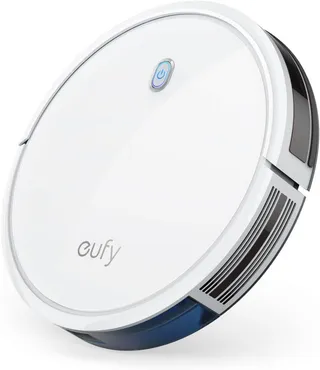
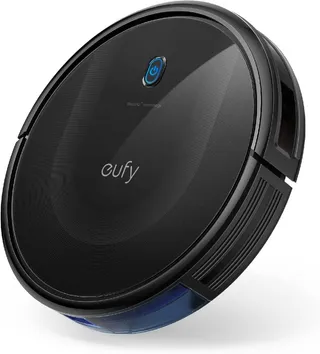
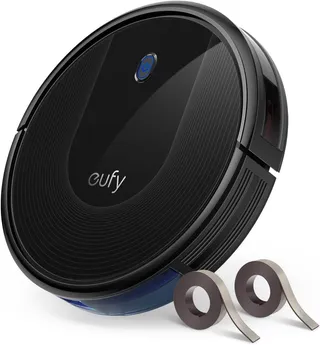
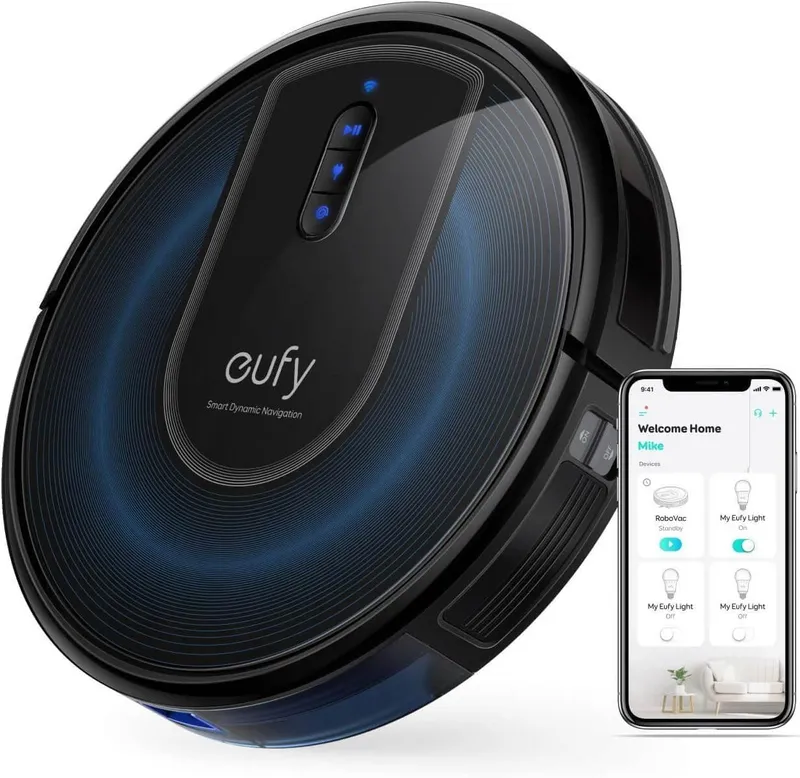
The Eufy RoboVac G30 represents that sweet spot where affordability meets genuine usefulness. Released in mid-2020, this glossy black robot with its subtle bronze accents doesn’t try to be everything to everyone. Instead, it focuses on doing the basics really well: methodical cleaning, quiet operation, and hassle-free maintenance.
What You’re Actually Buying
The G30 launched at $319.99, with the Edge variant (which includes boundary strips) at $369.99. These days, you’ll typically find it between $180 and $250, with refurbished units sometimes dipping to $150. At those prices, it punches well above its weight.
The G30 family includes several variants worth knowing about:
- G30 (T2250): The standard model without boundary strip sensors
- G30 Edge (T2251): Identical hardware, but includes two magnetic boundary strips (about 13 feet total) and the sensors to detect them
- G30 Verge (T2252): Same as the Edge but with just one 6.5-foot strip
- G30 Hybrid (T2253): Adds a mopping attachment with a 130 mL water tank, though the dustbin shrinks to 450 mL to accommodate it
This guide focuses on the standard G30, which is strictly a vacuum. No mopping here.
The Physical Reality
At 12.8 inches in diameter and just 2.85 inches tall, the G30 is remarkably slim. That height matters more than you might think. It slips under furniture that taller robot vacuums simply can’t reach, including couches and beds with surprisingly low clearance. One reviewer noted it fit under every piece of furniture they owned, including an armchair that defeated even some stick vacuums.
The robot weighs about 6 pounds, light enough to carry between floors without complaint. It comes in one color: black. If you were hoping for options, there aren’t any.
Eufy sells the G30 globally through their official channels and major retailers like Amazon and Best Buy. EU customers get a 2-year warranty by law; everyone else gets 12 months. The power adapter handles 100-240V, so the same unit works worldwide with the right plug adapter.
A word about where you buy: stick with authorized sellers like Amazon (sold by Eufy) or Eufy’s own store. Gray-market units or secondhand purchases may not qualify for warranty service.
Cleaning Power
Suction
The G30 maxes out at 2000 Pa of suction in Max mode. Some third-party listings have mistakenly claimed 18,000 Pa, but that’s a typo. The real number is 2,000 Pa, which places it solidly in the mid-range. It’s not as powerful as premium models that hit 3,000-4,000 Pa, but it handles everyday debris without issue. Independent testing measured airflow at about 17 CFM, slightly above average for budget robots.
Users consistently describe the suction as “surprisingly strong” for the size. One owner reported being “shocked at how much dust and dog hair it picks up daily.”
Suction Modes
Three power levels are available through the app: Standard (default), Turbo, and Max. There’s also BoostIQ, an auto-adjust feature that detects when the robot rolls onto carpet and kicks the suction up within about 1.5 seconds. This conserves battery on hard floors while providing extra power where it counts.
The Dustbin
The 600 mL dustbin is decent for a slim robot, though pet owners often find it nearly full after one or two cleaning runs. The bin pops out from the top for easy emptying. One caveat: the latch opens quite easily. Tom’s Guide noted it “pops open way too easily” and can spill dust if you’re not careful. Handle it over a trash can.
Brush System
The main brush is a combo design with both bristles and rubber fins, about 6.5 inches wide. It shares the same design as earlier RoboVac models like the 11S and 30C. The thick bristles agitate dirt effectively on carpets, but hair tangling happens. Long human or pet hair wraps around the brush and requires regular removal. Eufy includes a small blade-and-comb tool specifically for cutting and pulling out tangled hair.
A single side brush handles edge cleaning. It’s a tri-spoke design mounted on the front-right that sweeps debris toward the intake. The package includes a spare, and replacements are inexpensive. There’s no sensor to alert you if the side brush falls off mid-clean, so you’ll need to notice if debris starts accumulating along edges.
Filtration
The G30 uses a pleated high-performance filter, but it’s not true HEPA. It captures most normal dust adequately, but if you have severe allergies, this isn’t a sealed allergen-trapping system. The filter isn’t washable. Tap or brush off dust, but don’t rinse it. Eufy recommends replacement after about 50 cleaning cycles or roughly 6 months. A spare filter comes in the box.
How Loud Is It?
Remarkably quiet. At 55 dB on Standard mode, it’s about as loud as a microwave or normal conversation. Even at max power, 68 dB is quieter than many competitors. Tom’s Guide asked “Is this thing on?” because they could hold a conversation while it ran. One reviewer described it as “about as loud as a microwave oven” on Max. For apartment dwellers worried about disturbing neighbors, this is a significant advantage.
Navigation: Smart but Not Genius
How It Finds Its Way
The G30 uses what Eufy calls “Smart Dynamic Navigation 2.0.” This isn’t laser-based mapping. There’s no spinning LiDAR module on top, which is partly why the robot sits so low. Instead, it relies on an internal gyroscope and a floor-tracking optical sensor to navigate in orderly, overlapping straight lines.
This is a major upgrade from older Eufy models that just bounced around randomly. The G30 divides spaces into zones of about 13 by 13 feet and cleans each systematically before moving on. It knows where it’s been during a session and avoids immediately re-covering the same ground, though it may return later for a second pass.
There’s no persistent map, though. The robot generates a map in real-time that you can watch in the app, but once the cleaning session ends, that map is gone. You can’t save it, label rooms, or draw virtual no-go lines on it. If you need to block off areas, you’ll need physical boundary strips.
Obstacle Detection
Nine infrared sensors around the front detect walls and large objects. The robot slows before touching obstacles and follows walls at a slight distance. A mechanical bumper handles anything the IR sensors miss. There’s no AI object recognition, so the G30 won’t identify shoes or pet waste. It will either push small objects or potentially get stuck on them. Robot-proofing your space before cleaning helps tremendously. The package even includes five cable ties to help secure cords off the floor.
Cliff Sensors
Four downward-facing infrared sensors prevent falls on stairs and ledges. They work well on standard flooring but can be fooled by very dark or black floors. Eufy specifically notes the G30 isn’t recommended for very dark-colored carpet because the sensors may interpret the surface as a drop and refuse to proceed.
Threshold Climbing
The G30 handles transitions and rug edges up to about 16-20 mm (roughly 0.6-0.8 inches). Standard door transitions and typical area rug edges pose no problem. Anything around 0.75 inches is near its limit. High-pile carpet can cause struggles, and Eufy recommends only low to medium-pile carpets (up to about 26 mm pile height).
Battery Life
The Numbers
A 14.4V, 2600 mAh battery powers the G30. Expect about 100-110 minutes on a single charge at Standard power on hard floors. On low-pile carpet, runtime drops to around 93 minutes. Max suction cuts it to roughly 70 minutes on hard floor or 54 minutes on carpet. Most users find it covers 1,200-1,400 square feet on one charge.
Some early marketing erroneously listed 180-minute runtime. That’s not accurate for the G30. Realistic maximum is 1.5 to 2 hours.
Recharge and Resume
When the battery drops below about 20%, the G30 automatically returns to its dock, recharges to about 80%, then resumes cleaning where it left off. A full charge from empty takes 5-6 hours; reaching 80% takes about 4 hours.
Battery Longevity
With daily use, expect noticeable capacity reduction after about 18-24 months. The battery is user-replaceable with a screwdriver. Eufy sells replacement packs, and third-party options (sometimes with slightly higher capacity) run $30-40.
The Charging Dock
It’s simple: a compact black base about 6.5 by 6 inches with a 3.3-inch height. Two metal contact strips charge the robot when it docks. There’s no self-emptying capability, no water tank, nothing fancy. The dock has a built-in cord wrap to keep things tidy.
Eufy recommends about 1.5 feet of clearance on each side and 3 feet in front, though many users get by with less. Avoid placing it on thick carpet, near stairs, or in direct sunlight. The dock weighs only about 8 ounces, so it can shift if not secured against a wall.
Build Quality and Durability
The outer shell is polished plastic that looks sleek but can pick up scratches over time. Three physical buttons on top (start/pause, spot clean, return-to-dock) feel solid. The robot is notably lightweight compared to premium models, which some interpret as fragile but others appreciate for easy carrying between floors.
Wheels are rubberized and spring-mounted. The side brush attaches via screw. All wear-prone parts (brush, filter, battery, side brush) are user-replaceable with basic tools or no tools at all.
Common wear items and approximate lifespans:
- Side brush: 3-6 months
- Main brush: 9-12 months
- Filter: about 6 months
- Battery: 2-3 years with daily use
The brushless suction motor means no carbon brushes to wear out, which helps with longevity and quietness.
Software and App
The Eufy Clean App
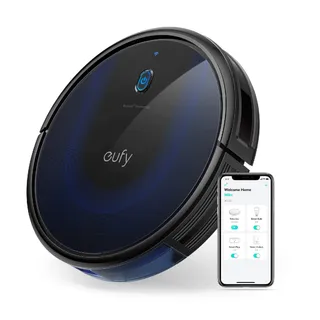
Available on iOS and Android, the app handles starting/stopping, viewing maps during cleaning, adjusting settings, scheduling, and firmware updates. Setup involves connecting your phone to the robot’s temporary WiFi and entering your home network credentials.
During operation, the app shows cleaning status, battery level, time elapsed, and a real-time map. You can access cleaning history with logs of each job. The interface is straightforward and gets good reviews for being beginner-friendly.
Cleaning Modes
Auto Mode: The default full-home clean. The robot systematically covers accessible areas until finished, then returns to base.
Spot Mode: Press the Spot button or activate via app. The robot spirals outward about 4 feet, then spirals back in for about 2 minutes. Good for concentrated spills.
Manual Drive: A virtual joystick in the app lets you steer the robot for quick touch-ups or guiding it to specific spots.
Scheduling
The app allows daily or weekly scheduling. Set specific days and times for cleaning. There’s no per-room scheduling since there’s no persistent room data, but you can create multiple schedules for different times throughout the week.
Voice Control
The G30 works with Amazon Alexa and Google Assistant for basic commands: start, stop, pause, resume, and return to dock. You can’t tell it to clean specific rooms since it doesn’t understand room concepts. But you can include it in smart home routines. No Apple HomeKit or Siri integration exists, and there’s no Matter support.
What’s Missing
No Do Not Disturb mode (just don’t schedule cleaning during quiet hours). No child lock. No 5 GHz WiFi support, only 2.4 GHz. Most commands go through Eufy’s cloud, though you can still start the robot with the physical button if your internet goes down.
Privacy Considerations
Using the app requires a Eufy account. The company collects personal info like email, device details, and usage data according to their privacy policy. The robot shares cleaning logs, maps, timestamps, and device status with Eufy’s servers.
The good news: no camera or microphone on the G30 means no audio or visual data from inside your home is collected. The maps are basic layout outlines. Consumer Reports noted Eufy’s documentation was somewhat vague about exactly what data gets sent, but there have been no known security breaches involving RoboVac data.
If cloud connectivity concerns you, the robot functions without it via the physical start button, just without app features.
Cleaning Performance: What to Expect
Hard Floors
Excellent. In testing, the G30 picked up about 97.4% of large debris (like cereal) and 89% of fine debris (sand, kitty litter) on hardwood. It collected 96.5% of pet hair on hard floors, beating some pricier models. Users consistently report floors looking spotless after the G30 passes.
One minor caveat: the side brush can occasionally scatter larger, lightweight debris like dry cat food on hard surfaces.
Low-Pile Carpet
Good for surface cleaning, limited for deep cleaning. On low-pile carpet, the G30 grabbed 100% of large debris but only about 72.6% of fine particles like sand. For pet hair on carpet, it managed about 78% pickup. It leaves neat vacuum lines and removes most visible dirt, but if you press your hand into the pile, you might still feel some fine dust.
Medium to High-Pile Carpet
Medium pile (around half an inch) is about the limit. High-pile, shag, or anything over three-quarters of an inch thick isn’t suitable. The robot may struggle to move, leave debris behind, or even refuse to proceed if cliff sensors mistake the dark carpet for a drop-off. Eufy explicitly doesn’t recommend the G30 for primarily carpeted homes with thick pile.
Pet Hair
The G30 shines on hard floors but shows limitations on carpet. On hardwood, it handles pet hair exceptionally well. On carpet, more hair remains embedded in fibers. Long pet fur wraps around the brush and requires frequent removal. Running it daily prevents large accumulation and makes pickup easier.
Navigation in the Real World
How It Handles Obstacles
The G30 approaches walls and furniture gently, slowing before contact. It navigates around chair and table legs by spiraling carefully. It won’t scuff baseboards with hard collisions. However, it can wedge itself under furniture if the space is just barely tall enough to enter but not to move freely.
Cords and Clutter
Cords are problematic for any robot vacuum without AI vision, and the G30 is no exception. If it snags a charging cable, the brush or wheel can tangle. Small toys, socks, or cloths can get stuck in the intake and trigger an error. The solution is consistent: pick up clutter before running the robot. After a few runs, you’ll learn which spots cause trouble.
Thresholds and Rugs
It handles transitions up to about 0.6-0.8 inches. Lightweight rugs may get pushed around; rubber-backed rugs stay put better. Tuck rug tassels underneath, as they can wrap around the brush. Very dark rug patterns may trigger false cliff detection.
Dark Rooms
The G30 doesn’t rely on cameras, so it works equally well in complete darkness. Scheduling overnight runs is perfectly viable.
Multiple Rooms
If doors are open, the G30 moves from room to room and treats the entire connected area as one space. It doesn’t understand “rooms” as separate concepts, just cleans until it covers all accessible areas or runs low on battery.
Living with Pets
The Good
Daily running keeps pet hair tumbleweeds at bay, especially on hard floors. The quiet operation (55-68 dB) is easier on anxious pets than traditional vacuums. Many pets eventually ignore it completely.
The robot handles dry pet food and scattered litter reasonably well, though a boundary strip around feeding areas prevents bumped water bowls.
The Critical Warning
The G30 cannot detect pet waste. If your pet has an accident and you run the vacuum, disaster ensues. The robot will run over and smear the mess everywhere. For homes with pets that aren’t fully housebroken, either supervise runs or hold off on scheduling unsupervised cleaning.
Maintenance Reality
Pet owners should expect to clean the brushroll every few days, not weekly. Hair accumulates at the brush ends and under the end caps. The side brush also catches strands that need removal.
Who Should Buy This
The G30 works best for:
- Single-family homes or apartments up to about 2,000 square feet
- Predominantly hard flooring with some rugs or low-pile carpet
- Households willing to keep floors reasonably tidy
- Pet owners who want to reduce daily hair accumulation
- Anyone who values quiet operation
The G30 might frustrate you if:
- Your home has mostly high-pile carpet
- You need app-controlled virtual no-go zones
- You want a self-emptying base
- Your space exceeds 2,400 square feet
- Clutter consistently covers your floors
Maintenance Schedule
After each run: Empty the dustbin and tap off the filter.
Weekly: Clean hair from the main brush using the included cutting tool. Check the side brush for wrapped hair.
Monthly: Wipe all sensors, wheels, and charging contacts. Clean the front caster wheel cavity.
Every 6 months (or 50 runs): Replace the filter. Evaluate side brush and main brush condition.
Every 2-3 years: Replace the battery when runtime noticeably decreases.
Warranty and Support
Eufy provides a 12-month limited warranty covering manufacturing defects. Their customer service reputation is genuinely good. Users report quick replacements for defective units and responsive communication. Support is available via phone (+1-800-994-3056 for US customers, Mon-Sun 8am-4pm PT), email ([email protected]), and live chat during business hours.
If something fails within warranty, Eufy typically ships a replacement unit or parts quickly. They may ask for a short video of the problem but generally make the process hassle-free.
Common Issues and Solutions
WiFi connection problems: The G30 only supports 2.4 GHz networks. Temporarily disable 5 GHz during setup if your router uses a combined network.
Error S1 (stuck bumper): The front bumper is compressed and won’t release. Free any debris around the bumper mechanism.
Wheel stuck/suspended errors: Hair wrapped around wheel axles or the robot stuck on a threshold. Clear the obstruction.
Brush stuck errors: Remove tangled socks, cords, or excessive hair from the main brush.
Cliff sensor false positives: Clean the sensors with a dry cloth. If your floor is very dark, this may be an ongoing issue.
Side brush falling off: Ensure it’s screwed on tightly. Replacements are inexpensive if the mount loosens.
What’s in the Box
- RoboVac G30 robot with battery installed
- Charging base and AC adapter
- 2 side brushes (one installed, one spare)
- 2 high-performance filters (one installed, one spare)
- Main rolling brush (pre-installed)
- Cleaning tool for cutting tangled hair
- 5 cable ties for managing floor cords
- User manual and documentation
Boundary strips are only included with the Edge, Verge, and Hybrid models.
Replacement Parts and Costs
Filters: Official packs (2 filters) cost $15-20. Third-party options run $10 for 4-6 filters.
Side brushes: Official pairs cost $10-15. Third-party kits include 4-6 for similar prices.
Main brush: About $20 official, or bundled in multi-packs with other parts.
Battery: Official replacement around $40. Third-party options (sometimes with higher capacity) run $30-40.
Boundary strips: 13-foot kit costs about $25.
Annual upkeep using official parts runs roughly $35. Third-party alternatives can cut that in half.
The Bottom Line
The RoboVac G30 doesn’t pretend to be a premium flagship. What it offers is reliable, quiet, systematic cleaning at a price that makes daily automated vacuuming accessible. It excels on hard floors and does respectable work on low-pile carpets. The slim profile lets it reach under furniture that defeats taller competitors. The app is simple and works. Support is responsive.
Its limitations are real: no persistent mapping, no virtual boundaries in the app, limited deep-carpet performance, no self-emptying option. These are deliberate trade-offs that keep the price down.
For the typical home with mostly hard floors and some area rugs, where owners are willing to do basic robot-proofing and empty the dustbin regularly, the G30 delivers exactly what it promises. After five years on the market, it remains one of the better values in its price bracket.