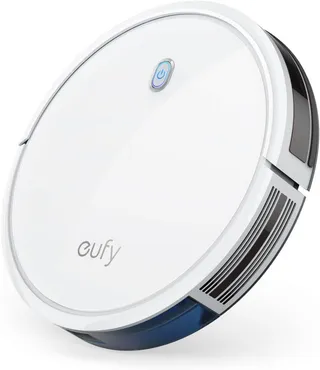
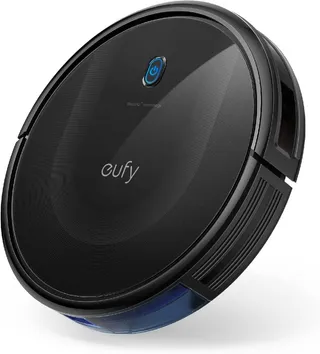
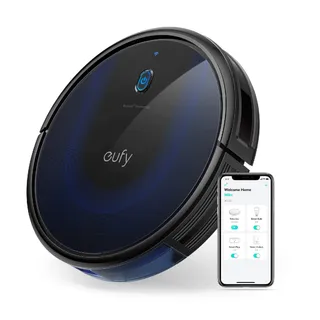
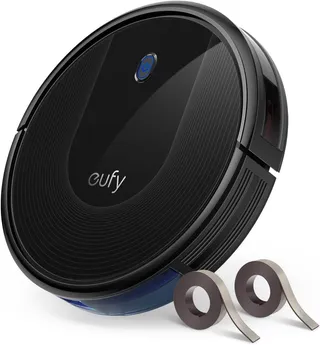
Eufy G30 Edge
Suction
2,000 Pa
Battery
100 min
Navigation
Gyroscope & Floor Tracking
Mopping
1 Fixed Pad
Full Specifications
| Suction Power | 2,000 Pa |
| Battery Life | 100 min |
| Dustbin Capacity | 600 ml |
| Navigation | Gyroscope & Floor Tracking |
| Robot Height | 2.85" |
| Threshold Climbing | 15 mm |
| Brush Roll | Single |
| Mopping | 1 Fixed Pad |
| Self-Empty Dock | No |
| Obstacle Avoidance | No |
| Carpet Boost | Yes |
| WiFi | 2.4 GHz |
| Voice Assistants | Alexa |
| Warranty | 1 year |
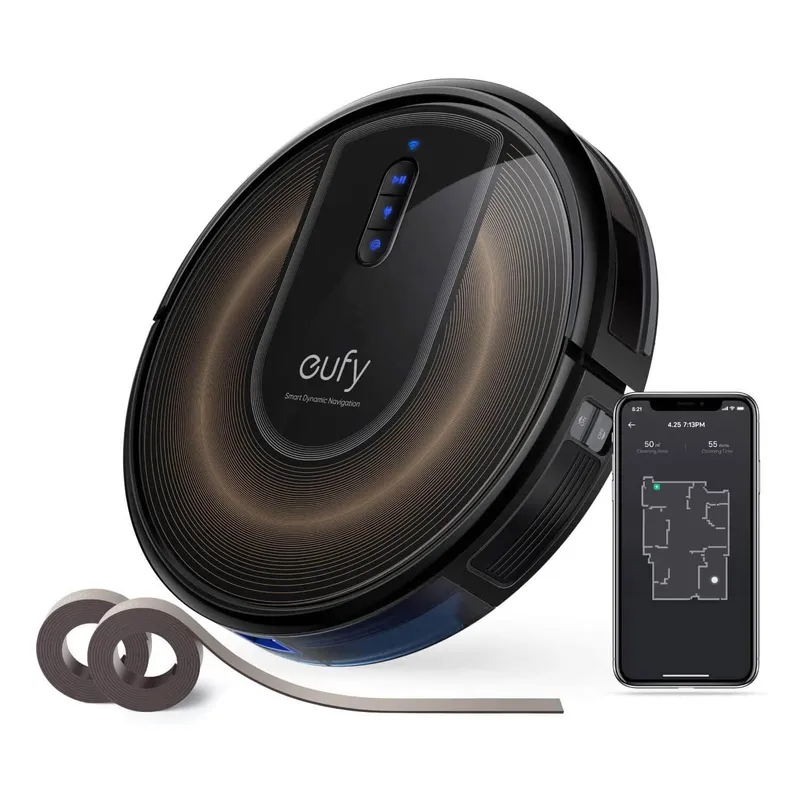
Compare with similar models:
The Eufy RoboVac G30 Edge made waves when it launched in mid-2020 by bringing smart navigation to the budget robot vacuum market. Originally priced around $350-370, it now regularly sells for $200-250 (sometimes dipping to $180 during sales), making it an even more compelling option for buyers who want systematic cleaning without spending flagship prices.
Made by Eufy (Anker’s smart home brand), the G30 Edge belongs to a family that includes the standard G30, the G30 Verge, and the G30 Hybrid (which adds mopping). The “Edge” variant’s distinguishing feature is two sets of magnetic boundary strips for creating no-go zones. All G30 models share the same core specs: 2000 Pa suction, identical dimensions, and similar battery life.
Hardware Specifications
At just 2.85 inches tall, the G30 Edge slips under furniture that blocks taller robots. The circular body measures about 12.8 inches across and weighs roughly 6 pounds—light enough to carry between floors easily.
The 2000 Pa maximum suction puts it solidly in mid-range territory. Independent testing measured airflow at around 17 CFM, slightly above average for budget robots. That’s enough power for hard floors and low-pile rugs, though deep carpet cleaning remains a weakness.
Battery life stands out. The 2,600 mAh battery delivers 100-110 minutes on standard mode, with independent tests showing up to 114 minutes on low power and about 70 minutes at maximum suction. When the battery drops to 20%, the robot returns to charge. Full recharge takes about 4 hours. More importantly, the G30 Edge supports recharge-and-resume: if it can’t finish a cleaning cycle, it’ll dock, recharge, then pick up where it left off. That’s a feature you don’t often find at this price point.
Navigation relies on what Eufy calls “Smart Dynamic Navigation 2.0”—essentially a gyroscope paired with a downward-facing optical sensor that tracks movement across the floor. No lidar, no camera. The robot cleans in methodical back-and-forth rows rather than bouncing randomly, building a basic map as it goes. Cliff sensors prevent stair tumbles, and the bumper handles obstacle detection.
The dustbin officially holds 0.6 liters, though independent measurements suggest usable capacity is closer to 0.25 liters. Plan on emptying it after each full-house run. One design annoyance: the bin’s latch pops open too easily and can spill contents if you’re not careful when removing it.
Filtration uses a high-efficiency unibody filter (not true HEPA) plus a foam pre-filter. People with severe allergies should note that the finest particles may not be fully captured. Eufy recommends replacing filters every two months.
The cleaning system includes one main brushroll (bristle and rubber combination) and a single side sweeper brush. The brushroll is removable for cleaning but can’t be turned off. Hair tangles are inevitable with this design—expect to do regular maintenance.
Noise levels range from 55 dB on standard mode to 68 dB at maximum. In practice, reviewers consistently praise how quiet this robot runs. On standard or BoostIQ mode, you can have a normal conversation nearby without raising your voice.
The battery is user-replaceable with a screwdriver—a nice touch for extending the robot’s lifespan. The build quality feels solid for the price: tempered glass top, robust bumper, and durable wheels. Three physical buttons on top handle start/pause, dock return, and spot cleaning.
Mopping
None. The G30 Edge is vacuum-only. No water tank, no mop pad, no wet cleaning capability whatsoever. If you want mopping, you’d need the G30 Hybrid variant, which includes a small 0.13-liter water tank and detachable mop pad.
Software and App
The EufyHome app (also called Eufy Clean) handles all remote control and scheduling. Setup connects the robot to your 2.4 GHz Wi-Fi network—5 GHz isn’t supported, which can trip up users with dual-band routers.
Through the app, you can start, pause, stop, or dock the vacuum. A virtual joystick lets you manually drive it around. Four suction settings are available: Standard, Turbo, Max, and BoostIQ. BoostIQ automatically increases suction when the robot detects carpet, then drops back on hard floors to conserve battery.
During cleaning, the app shows real-time stats: cleaning time, area covered, battery level, and a live trace of where the robot has traveled. You can view the last run’s floor plan, but that’s about it for map interaction. No room labels, no selective room cleaning, no virtual walls. The mapping exists to improve navigation efficiency, not to give you control.
Scheduling works as expected—set times and days for automatic cleaning. You can’t schedule different rooms or zones since the robot treats everything as one continuous space.
Voice control through Amazon Alexa and Google Assistant lets you start or stop cleaning with simple commands. Family sharing allows multiple phones to control the robot. A “Find My Robot” feature makes the vacuum play a loud tune when it gets lost under furniture.
The big missing feature? No virtual no-go zones in the app. The only way to block areas is with the physical magnetic strips included in the box. That’s a real limitation compared to robots with software-based boundaries.
Charging Dock
The included dock is simple: a compact two-contact charger with cord management underneath. No auto-empty capability—you’re emptying that dustbin yourself every time.
Eufy recommends about 3 feet of clearance in front and 2 feet on each side. The robot generally docks reliably, and an LED indicates charging status (orange while charging, solid blue when full).
With auto-return cleaning enabled, the robot will resume cleaning after charging to about 80% if it didn’t finish the first time. This makes the G30 Edge capable of handling larger homes that exceed a single battery cycle.
What’s in the Box
The G30 Edge ships with everything you need to get started:
- Robot vacuum (main unit)
- Charging base with AC adapter
- Two magnetic boundary strips (about 13 feet total)
- Two side brushes (one installed, one spare)
- Two filters (one installed, one spare)
- Cleaning tool with blade and brush for removing hair
- Double-sided adhesive strips for securing boundary strips
- Five reusable cable ties
- Documentation
Ongoing Costs
Maintenance costs run moderately high compared to some competitors. Filters should be replaced every 2-3 months (though many users stretch this by cleaning them regularly). Side brushes typically last 3-6 months, and the main brush should be replaced every 6-12 months. Realistically, budget around $30-50 per year for replacement parts. Third-party filter and brush bundles often cost around $20 for a year’s supply.
Maintenance and Durability
This robot needs regular attention. Empty the dustbin after each full cleaning. Clean or tap dust from the filter weekly. Remove and clear the brushroll of hair debris at least weekly, with monthly cleaning of the brush bearings. Check the side brush and wheels for hair wrap monthly. Wipe the cliff sensors and charging contacts occasionally.
Build quality holds up reasonably well, but there are some known weak points. The main brush drive mechanism has a sealed bearing that can fail after extended use, especially with heavy hair accumulation. Some users have reported the brush motor seizing after a year or so of heavy use. Regular cleaning helps prevent this, but it’s worth knowing about.
The dustbin latch remains a persistent annoyance—it’s easy to accidentally pop open and spill contents. Handle the bin carefully.
With proper maintenance, many owners report 2+ years of reliable operation. The main components likely to need eventual replacement are the battery (after a couple years) and potentially the brush assembly.
Warranty and Support
Eufy provides a 12-month limited warranty covering manufacturing defects. Extended warranties are available through some retailers.
Anker’s customer support has a good reputation in the robot vacuum space. Users frequently report responsive service, with Eufy often shipping replacement units or parts for warranty claims. The company maintains an extensive online support center with troubleshooting guides and how-to videos.
Cleaning Performance
Hard Floors: This is where the G30 Edge shines. Lab tests show virtually 100% pickup of large debris like cereal and about 89-90% of fine dust on hard surfaces. Pet hair pickup on hardwood hits around 96%. The systematic row-by-row pattern ensures thorough coverage without repeated missed spots.
Low-Pile Carpet: Performance gets mixed here. Large debris pickup remains excellent (near 100%), but fine particles that settle into carpet fibers prove more challenging—expect around 72-80% pickup. Pet hair on low-pile carpet drops to about 78% efficiency. You’ll get visibly cleaner carpets, but some embedded debris stays behind.
High-Pile Carpet: Not recommended. The G30 Edge struggles to even climb onto thick carpets, and when it does manage, pickup rates drop dramatically. If your home is primarily high-pile carpet, look elsewhere.
Pet Hair: On hard floors, excellent. On carpet, adequate but not exceptional. The real issue is the brushroll—long pet (or human) hair wraps around it constantly. Plan on cleaning the brush after nearly every run if you have heavy-shedding pets.
Edge and Corner Cleaning: The single side brush does a fair job along walls. Like all round robots, it can’t reach deep into 90-degree corners perfectly, but the remaining debris is minimal.
Navigation and Obstacle Handling
The gyroscope-based navigation system marks a huge improvement over random-bounce budget robots. The G30 Edge cleans in organized zigzag patterns, covering floors much more efficiently. First runs in new spaces take longer as the robot learns the layout; subsequent runs are quicker.
The mapping is basic and single-floor only—move it to a different level and it essentially starts fresh. There’s no multi-room awareness or persistent labeled maps. You can’t draw virtual boundaries or target specific rooms through the app.
Obstacle avoidance relies entirely on the bumper and infrared sensors. No AI recognition of cables, pet waste, or small objects. The robot will bump into things, adjust course, and continue. Phone charging cables and loose cords on the floor can get sucked up and jam the roller. “Robot-proofing” your space by picking up small items and loose cables makes a significant difference.
The 2.85-inch height lets it slide under most furniture, though very low clearances can trap it. Threshold handling tops out around 0.6 inches (15mm). Floor transitions between hard surfaces and rugs happen smoothly.
A word about dark floors: The infrared cliff sensors can misinterpret black carpets or flooring as drop-offs, causing the robot to avoid those areas entirely. This is a universal limitation of IR cliff sensors, not specific to this model.
The magnetic boundary strips work reliably—lay them across doorways, around pet bowls, or wherever you need the robot to stay away. The robot detects the magnetic field and turns away about 1-2 inches before reaching the strip.
Pet Owner Considerations
The G30 Edge offers mixed results for households with pets. Hard floor performance is genuinely excellent—it’ll gather tumbleweeds of fur efficiently. Carpet performance is merely adequate, and hair tangles in the brush are inevitable with any brush-based vacuum.
The quiet operation is a genuine advantage. Many pets tolerate the G30 Edge better than louder vacuums. Some cats even follow it around curiously.
Critical warning: This robot has no AI obstacle avoidance and cannot detect pet waste. If your pet has an accident on the floor while the robot is running, you’ll end up with an expensive mess spread across your home. Only run it when you’re confident the floor is clear, or restrict it to areas where accidents won’t happen.
The magnetic strips work well for protecting pet food and water bowls—lay strips around them and the robot stays away.
The filter isn’t true HEPA, so very fine dander may not be fully trapped. People with severe pet allergies might want a model with better filtration.
Home Compatibility
Best suited for: Hard floors and low-pile carpets, small to medium homes, spaces with furniture clearance above 3 inches, homes with 2.4 GHz Wi-Fi.
Not ideal for: Thick carpets, black or very dark flooring, homes requiring virtual no-go zones (you’ll rely on physical magnetic strips), multi-level homes where you want the robot to remember different floor layouts.
The 100-minute battery with recharge-and-resume handles larger spaces well—even 1500+ square feet can be cleaned in one or two cycles. For multi-level homes, you’ll need to physically move the robot between floors and accept that it treats each level as a new environment.
The slim profile excels in homes with low furniture. It’ll reach dust bunnies under beds and sofas that taller robots can’t access.
Value and Competition
At current prices ($200-300, often lower on sale), the G30 Edge delivers features that once cost twice as much. Systematic navigation, recharge-and-resume, app control, decent suction—that’s a lot for the money.
Against other Eufy models: Newer G20 and G40 series exist, but the G30 Edge often undercuts them on price while offering comparable or better features.
Against Roomba i3: Roomba has stronger carpet agitation and tangle-free rubber extractors, but it’s louder and more expensive. Battery life is also shorter.
Against budget Roborock models: Similar capabilities at similar prices. Roborock’s E4 offers a slightly larger dustbin; step up to the Q5 and you get true lidar mapping.
Against random-navigation robots: No contest. The G30 Edge covers more floor in less time because it doesn’t waste effort re-cleaning the same spots.
If your home is mostly hard floors with some rugs, and you want smart navigation without flagship prices, the G30 Edge remains one of the better values available.
Known Issues
Dustbin spillage: The latch pops open too easily. Always support the bin’s bottom when removing, and empty it over a trash can.
Wi-Fi setup troubles: The 2.4 GHz requirement trips up users on dual-band or mesh networks. Most issues resolve by ensuring both phone and robot connect to the 2.4 GHz band.
Brush motor wear: Some users report the main brush bearing failing after a year or more of heavy use, especially with lots of hair accumulation. Regular brush cleaning helps prevent this.
Replacement parts availability: Official parts (especially the brushroll and guard) have been hard to find at times. Third-party alternatives fill the gap.
Drop sensor false triggers: Dark floors can fool the cliff sensors into thinking they’re drop-offs. The robot may refuse to clean black rugs entirely.
Limitations to Consider
- No virtual no-go zones—physical magnetic strips only
- No mopping capability
- No self-emptying base
- Weak deep carpet cleaning
- Hair tangles in brushroll requiring frequent cleaning
- 2.4 GHz Wi-Fi only
- Single-floor map memory
- No smart obstacle detection (cables, pet waste, etc.)
- Not true HEPA filtration
The Bottom Line
The Eufy RoboVac G30 Edge doesn’t pretend to compete with flagship robots. What it does is bring systematic, mapped cleaning to a price point where most alternatives still bounce randomly. For homes with primarily hard floors, where the owner doesn’t mind regular brush maintenance, and where physical boundary strips are an acceptable solution, it’s a genuinely useful tool that keeps floors noticeably cleaner with minimal daily effort.
The tradeoffs are real: modest carpet performance, no app-based no-go zones, manual bin emptying, and hair maintenance that never ends if you have pets. But at $200 or less on sale, those compromises feel reasonable. This robot won’t replace thorough cleaning, but it will dramatically reduce how often you need to do it yourself.